
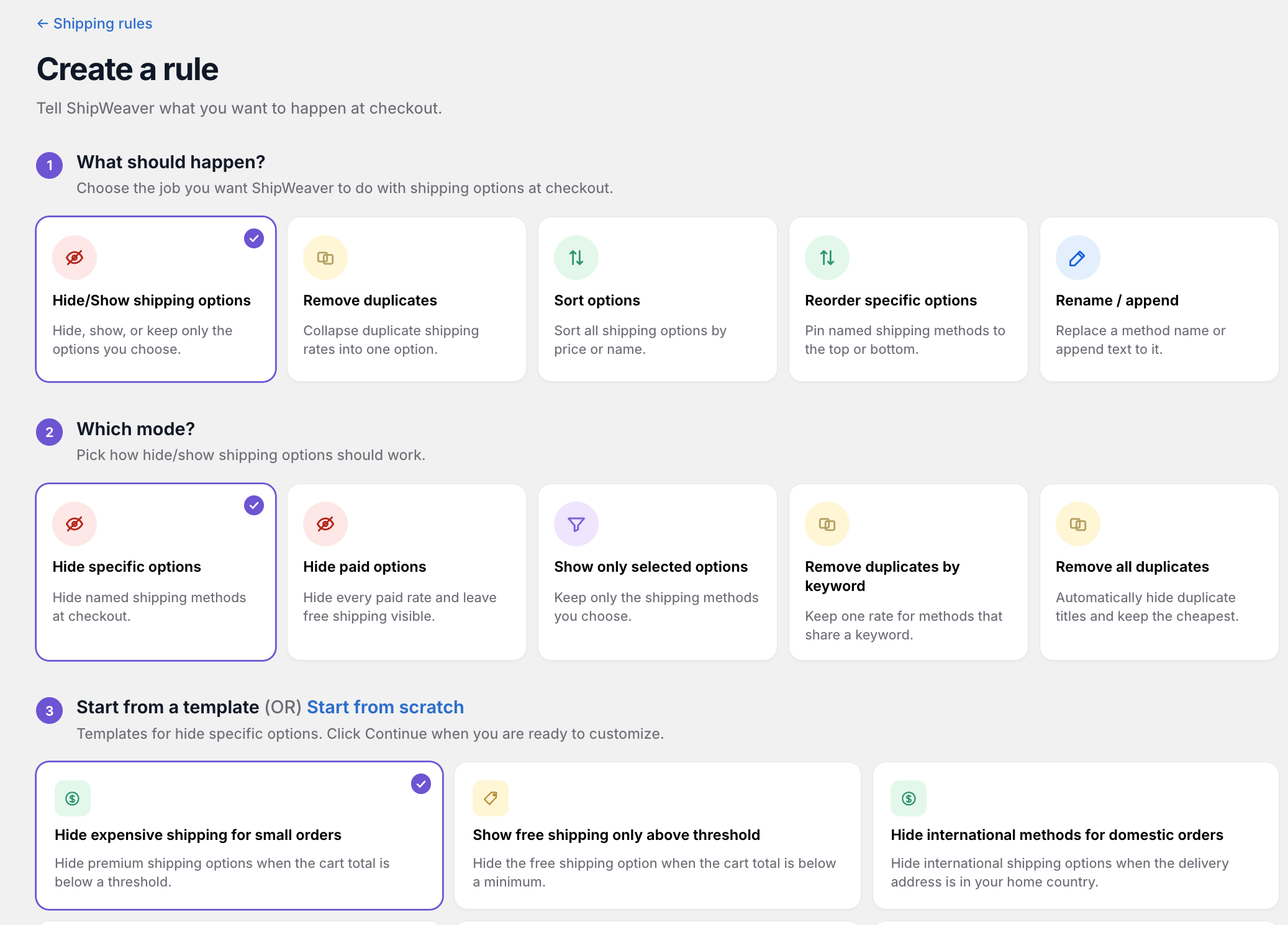
Pick the job first. Hide/Show, remove duplicates, sort, reorder, or rename.
Hide specific shipping methods
Hide delivery options whose titles match your criteria (contains or exact). Example: Hide Express, Priority, and Overnight when the cart subtotal is under $50.Hide all paid shipping methods
Hide every paid option and leave only free shipping visible. Example: Show only free shipping when the cart is over $75.Show only specific shipping methods
Keep matching options and hide the rest. Example: Show only Standard and Express for domestic orders.Remove duplicates by keyword
When several options share a keyword, keep one and hide the rest. Example: If Standard USPS and Standard UPS both appear, keep the first and hide the duplicate.Hide duplicates automatically
Detect near-identical titles and hide extras, keeping the cheapest or the first match depending on the mode you choose. Example: Remove a second Ground Shipping line from another carrier.Sort by price
Reorder all options cheapest-first or most-expensive-first. Example: Sort ascending so California customers see the cheapest option first.Sort by name
Reorder alphabetically, A–Z or Z–A. Reorder alphabetically, A-Z or Z-A. Example: Economy appears before Express before Standard.Reorder specific methods
Move named methods to the top, bottom, or a position relative to another method. Example: Pin Express to the top for NY, NJ, and CT.Rename a method
Replace the display name of matching options. Example: Change Priority Mail to Standard Delivery.Append text
Add a suffix to matching titles. Example: Append (3–5 days) to Standard Shipping. Example: Append (3-5 days) to Standard Shipping.