
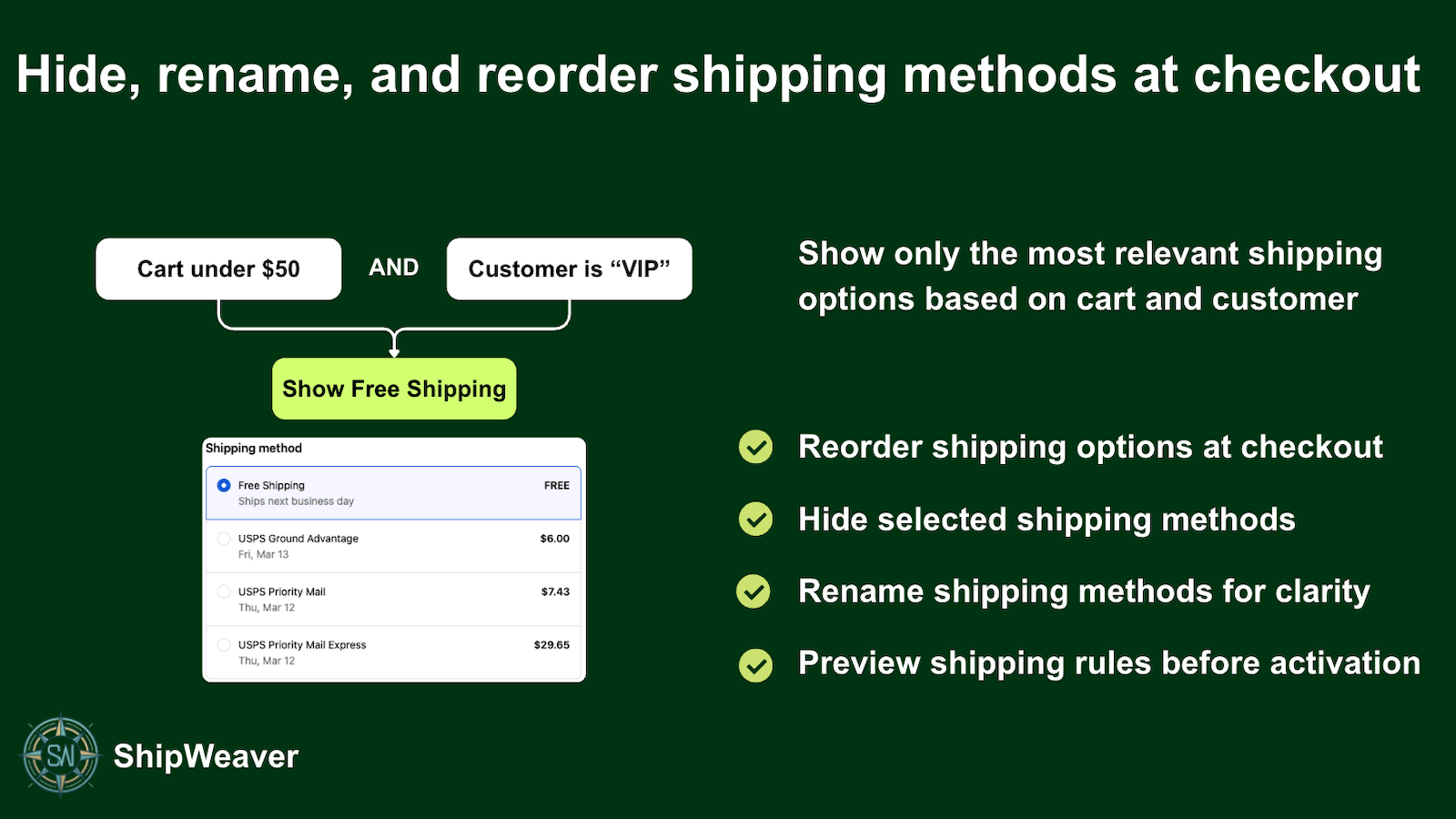
Hide selected methods, then preview the rule before customers see it.
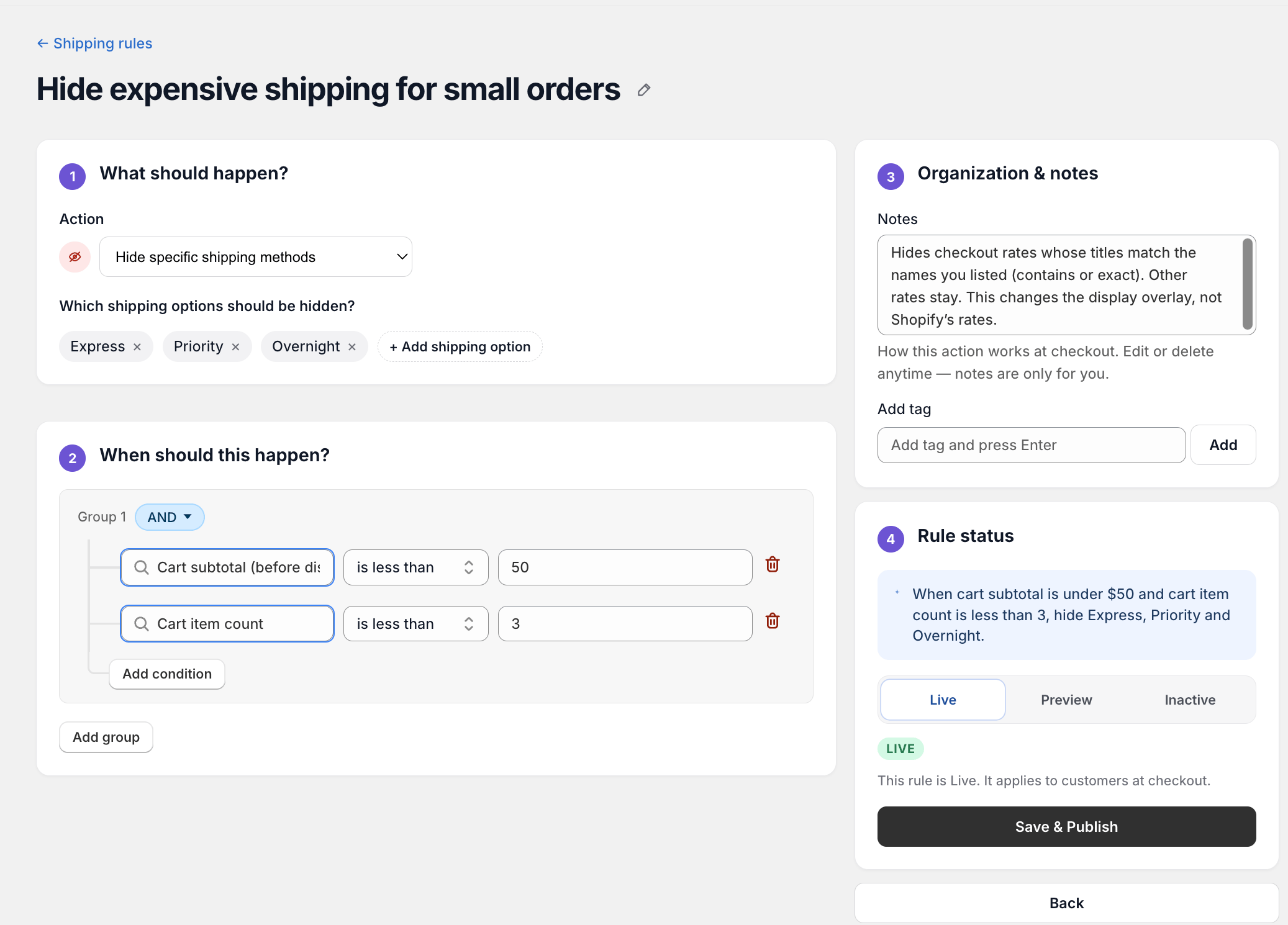
A hide rule in ShipWeaver: when cart subtotal is under $50 and the cart has fewer than 3 items, hide Express, Priority, and Overnight.
What Shopify offers, and what it does not
Out of the box, Shopify lets you configure shipping zones, rates, and conditions in your admin. Once a rate is eligible for a customer’s location, it appears at checkout. Shopify does not let you:- Hide methods based on cart total or item count
- Remove methods when specific products or tags are in the cart
- Show different methods for different ZIP codes within the same zone
- Automatically remove duplicate shipping options from multiple carriers
Shopify Plus: checkout blocks
If you are on Shopify Plus, you can use checkout extensibility to hide, rename, and reorder shipping methods through custom Checkout UI Extensions. That requires writing JavaScript, deploying extensions, and maintaining code. Most merchants prefer a delivery customization app.Delivery customization apps
Shopify’s delivery customization API allows apps to modify which shipping options appear at checkout. Apps that use this API can hide, rename, reorder, and filter methods based on cart data, products, customer info, and more, without custom code. These apps run server-side as part of Shopify’s checkout flow, so they work across checkout configurations, including Shop Pay.How to think about rules
When customizing shipping options, think in terms of conditions and actions:- Conditions define when a rule applies. Example: cart total is over $75, product is tagged
heavy, shipping country is US. - Actions define what happens to shipping options. Example: hide all paid methods, show only Standard and Express, remove duplicates.
Always preview before publishing
Use preview or test mode so rules apply only to designated testers. In ShipWeaver, Preview rules apply to your tester email or customers taggedshipweaver.
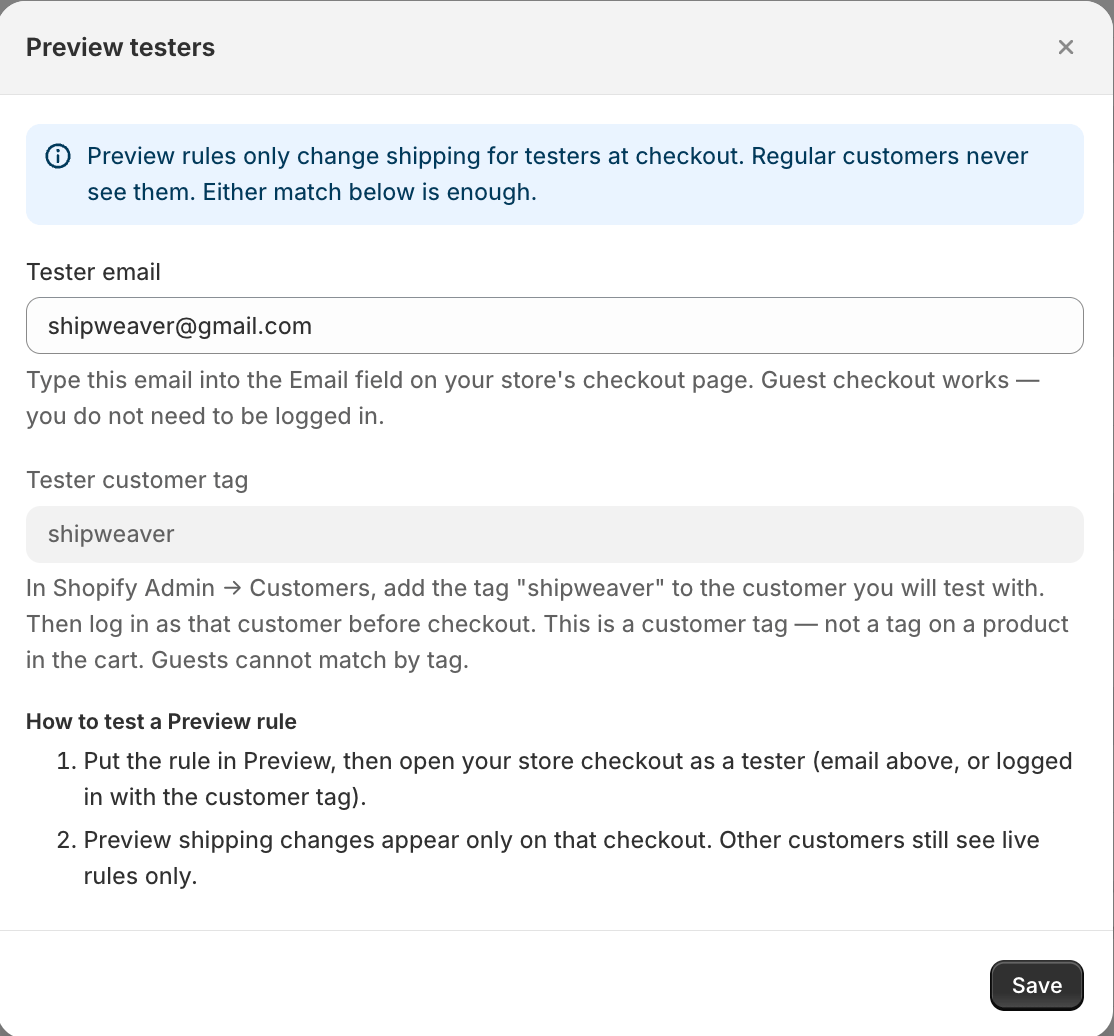
Preview testers match by checkout email or customer tag. Regular customers still see only Live rules.
Common examples
Hide paid shipping above a free shipping threshold
Condition: Cart subtotal is greater than or equal to $50 Action: Hide all paid shipping methods When the cart reaches $50, paid options disappear. Only free shipping remains visible.Hide Express for heavy or tagged items
Condition: Cart contains a product with tagheavy
Action: Hide shipping methods whose titles contain Express or Overnight
Customers with furniture in the cart see only Standard and Economy.
Remove duplicate shipping options
Condition: Always, or apply to all countries Action: Remove duplicate shipping methods by keyword Standard If two or more options contain Standard, only the first is shown.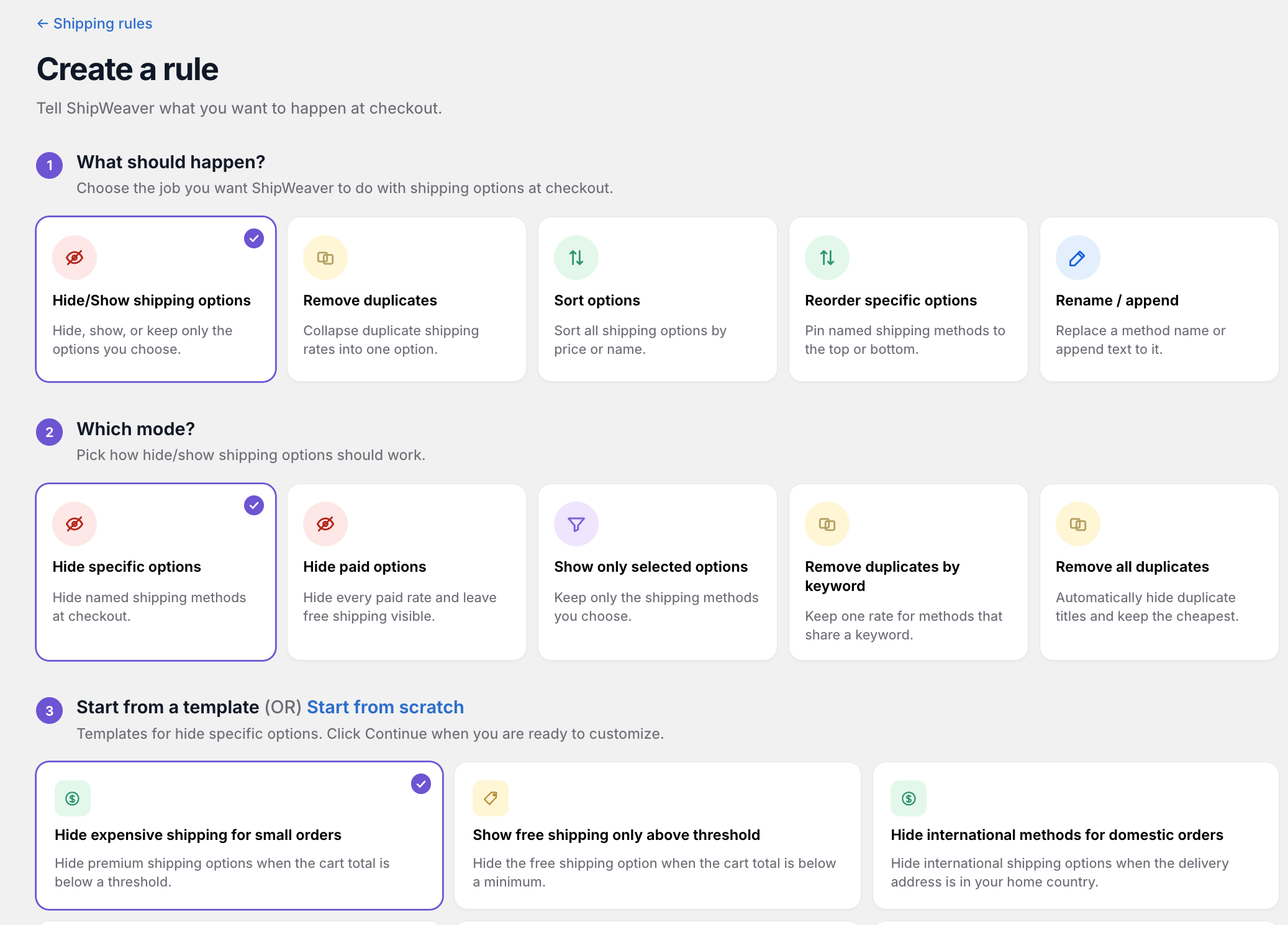
Start from Hide/Show, pick Hide specific options, then choose a template such as Hide expensive shipping for small orders.
Best practices
- Create one rule at a time and test it before adding more
- Always test in Preview
- Check priority order when rules conflict
- Make sure at least one shipping option stays visible
- Keep notes on why each rule exists
Using ShipWeaver
ShipWeaver uses delivery customizations to hide, rename, reorder, and sort shipping methods. It does not require Checkout UI Extensions.- Preview mode with tester email or the
shipweavercustomer tag - Templates for free shipping thresholds, PO Box restrictions, and more
- Priority-based rules
- Hide, show only, remove duplicates, sort, reorder, rename, and append
Key takeaways
- Shopify does not natively hide methods based on cart, product, or location conditions
- Plus merchants can use Checkout UI Extensions
- Delivery customization apps work without custom checkout code
- Always preview hide rules before going live
- Think in conditions and actions