
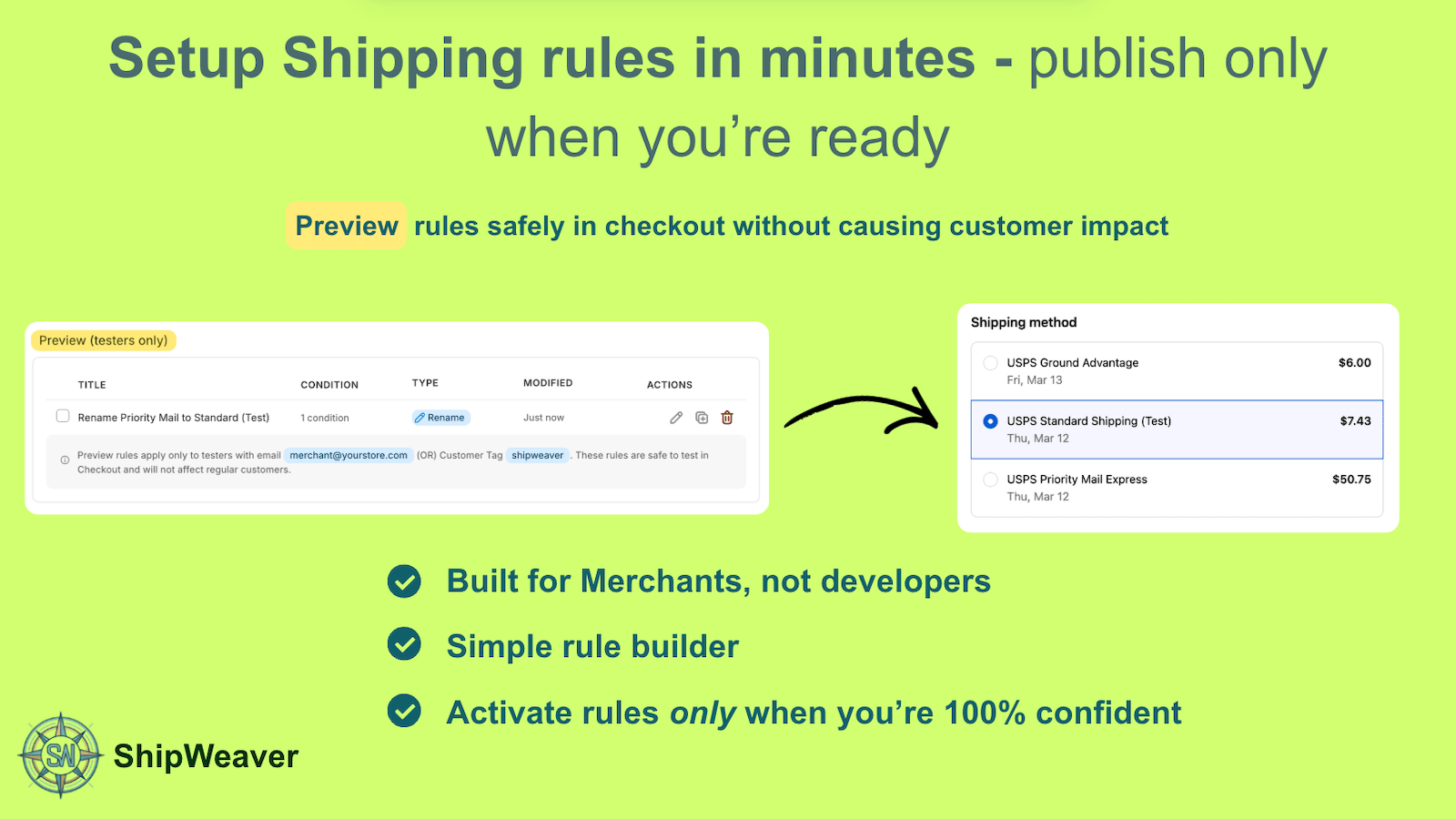
Set up the rule, preview it as a tester, then publish when the checkout list is correct.
Preview rules only change shipping for testers. Regular customers never see them. Either tester match is enough.
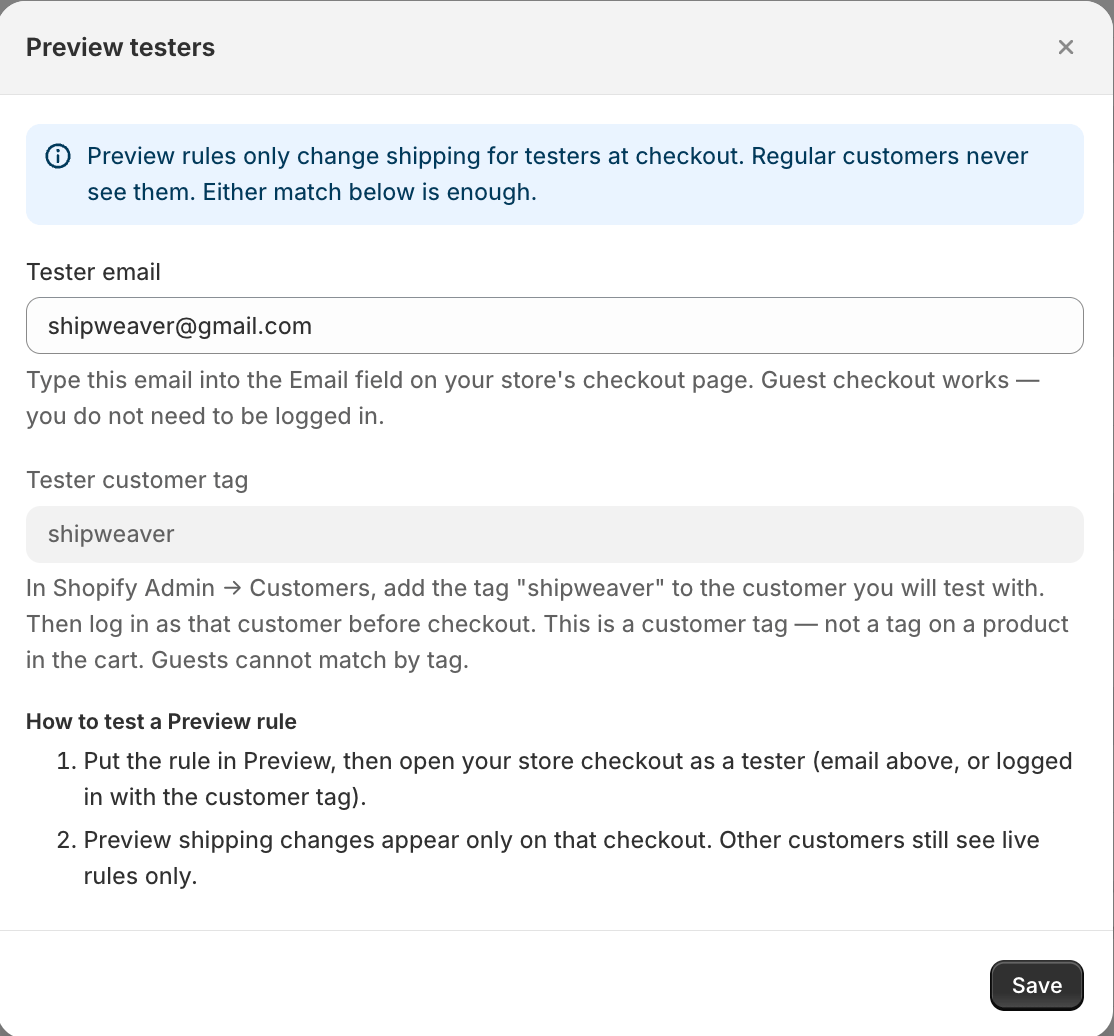
Match by checkout email, or by a customer tagged shipweaver.
Who counts as a tester
- Tester email — type this email into the Email field on your store checkout. Guest checkout works. Tester email - type this email into the Email field on your store checkout. Guest checkout works.
- Tester customer tag — in Shopify Admin ? Customers, add the
shipweavertag, then log in as that customer. Guests cannot match by tag. Tester customer tag - in Shopify Admin > Customers, add theshipweavertag, then log in as that customer. Guests cannot match by tag.
How to test
1
Set the rule to Preview
Create or edit the rule and choose Preview instead of Live.
2
Open checkout as a tester
Use the tester email, or log in as the tagged customer.
3
Confirm the shipping list
Preview changes appear only on that checkout.
4
Set to Live
Publish when the result is correct.
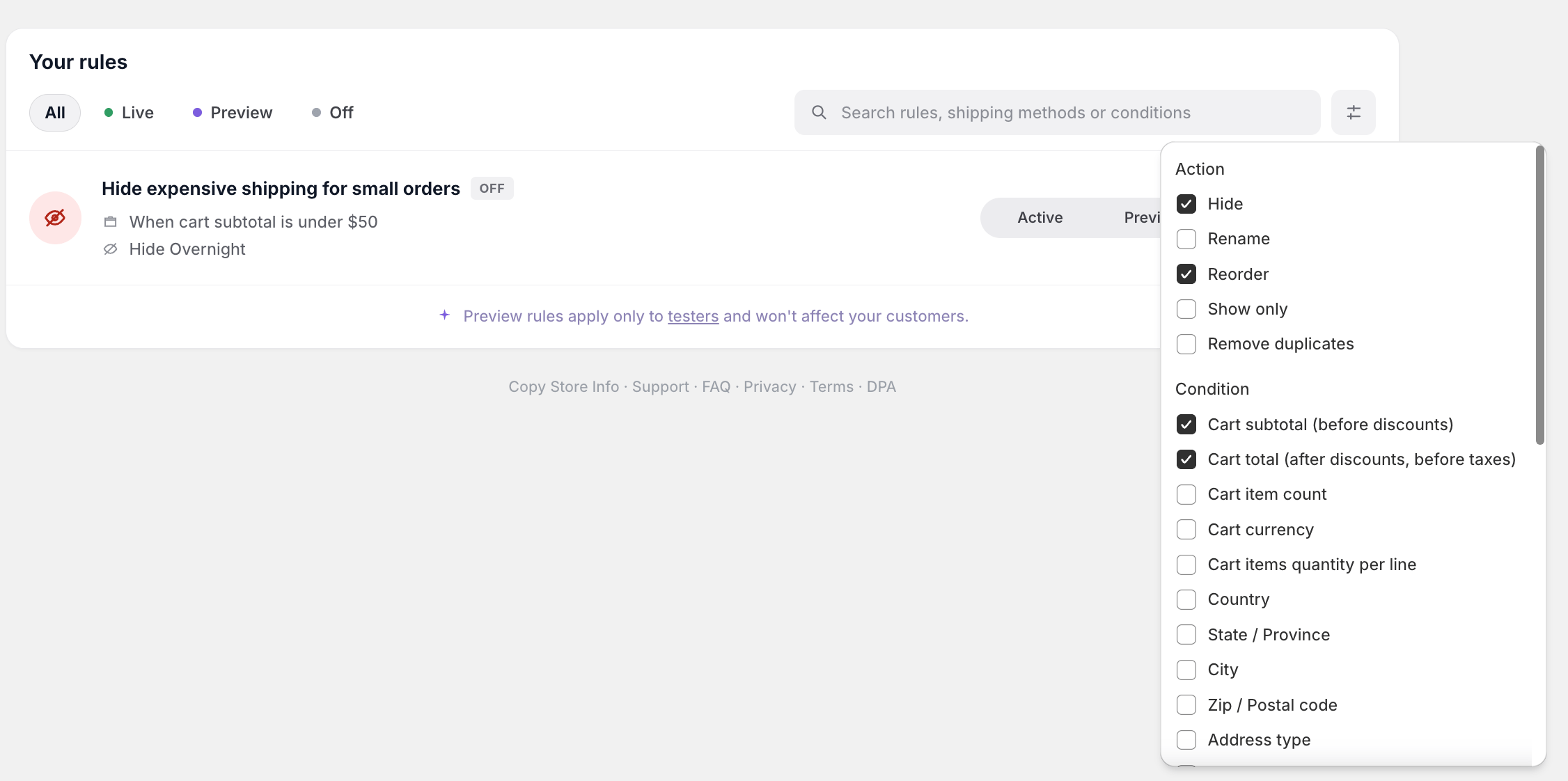
Filter the list by Live, Preview, or Off. Preview never affects regular customers.