The order of shipping methods at checkout matters. Customers often choose the first option, especially on mobile. You might want the cheapest method first, Express first for high-value orders, or a consistent sort by price. Shopify does not provide a drag-and-drop control in admin for checkout order. Carrier integrations and rate configuration decide the default order.
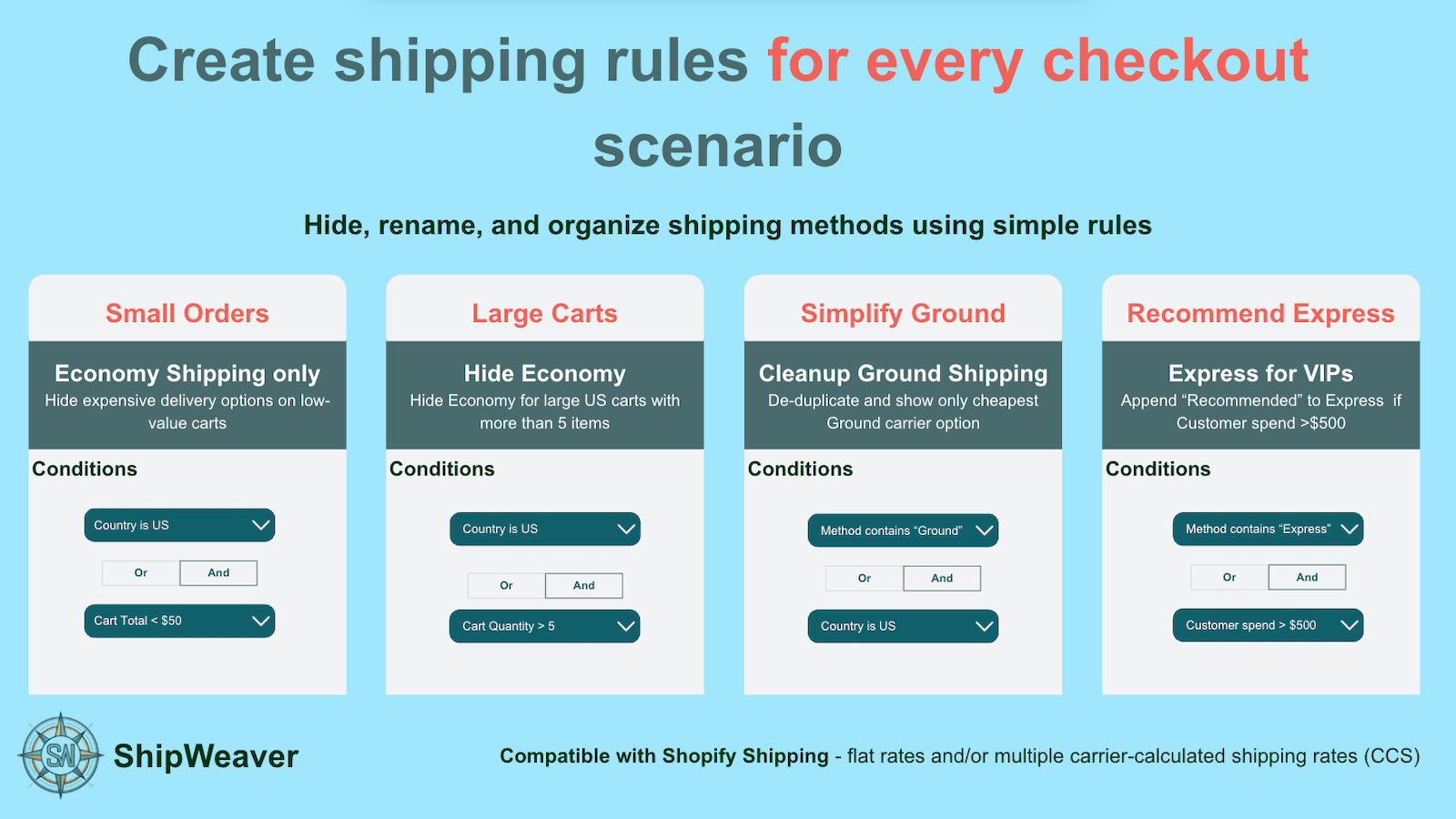
Checkout scenarios including Recommend Express and large-cart rules

Recommend Express for high-value carts, or sort cheapest first - both are reorder rules.
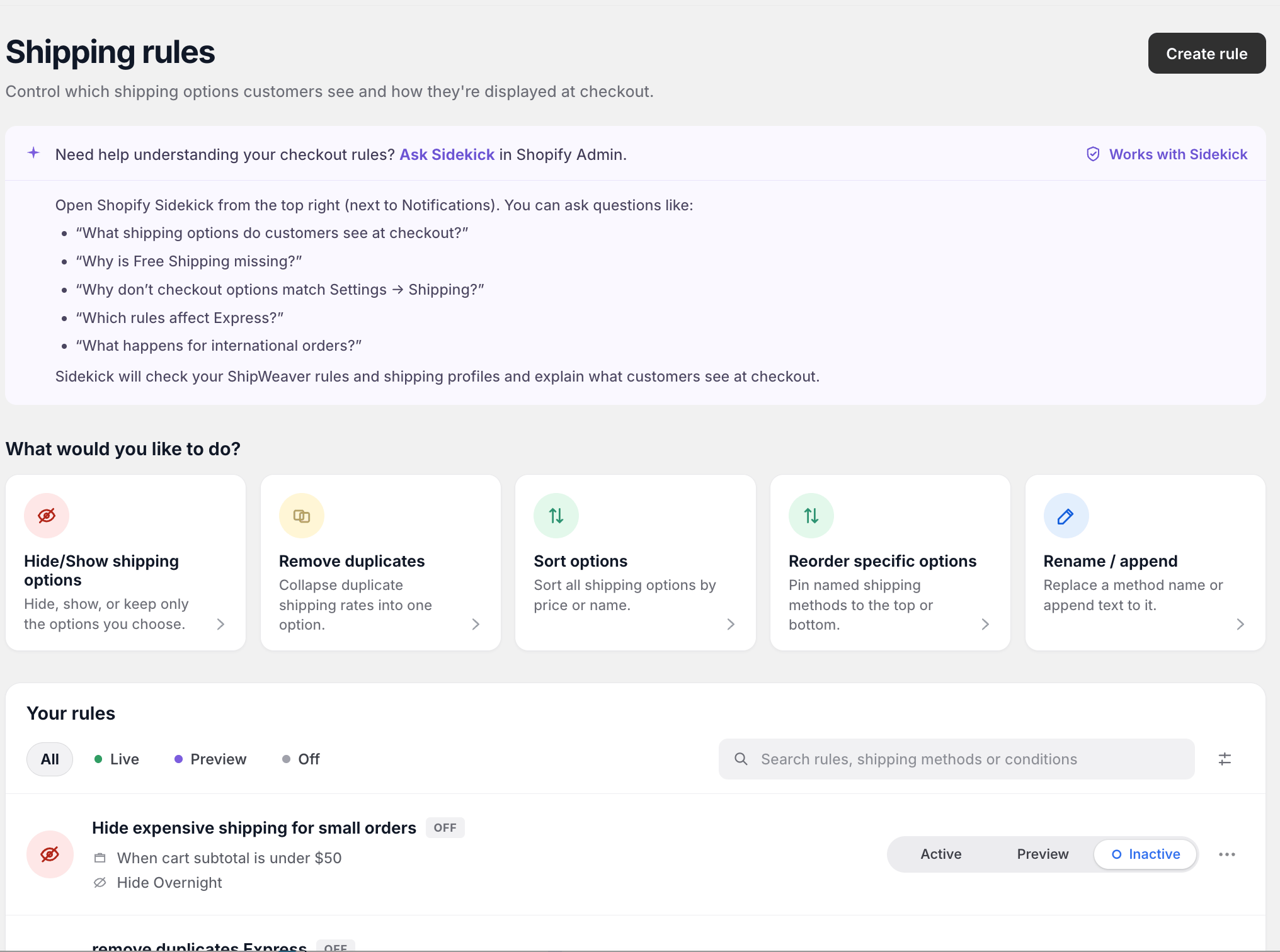
ShipWeaver dashboard cards for Sort options and Reorder specific options

Sort options and Reorder specific options are separate jobs: sort everything, or pin named methods.

What Shopify does not let you do

  • Drag methods into a custom order
  • Pin Free Shipping to the top
  • Sort automatically by price
  • Reorder conditionally by state, cart total, or customer type
Plus merchants can reorder with a Checkout UI Extension. Delivery customization apps do this without code.

Common use cases

Pin Free Shipping first

Action: Pin the method whose title contains Free to position 1 Free Shipping appears first. Other options keep their relative order.

Sort by price

Action: Sort all shipping methods by price, ascending Standard ($10), Express ($25), Overnight ($50).

Move Express first for high-value orders

Condition: Cart subtotal is at least $200 Action: Pin the method containing Express to position 1 Smaller orders keep the default order.
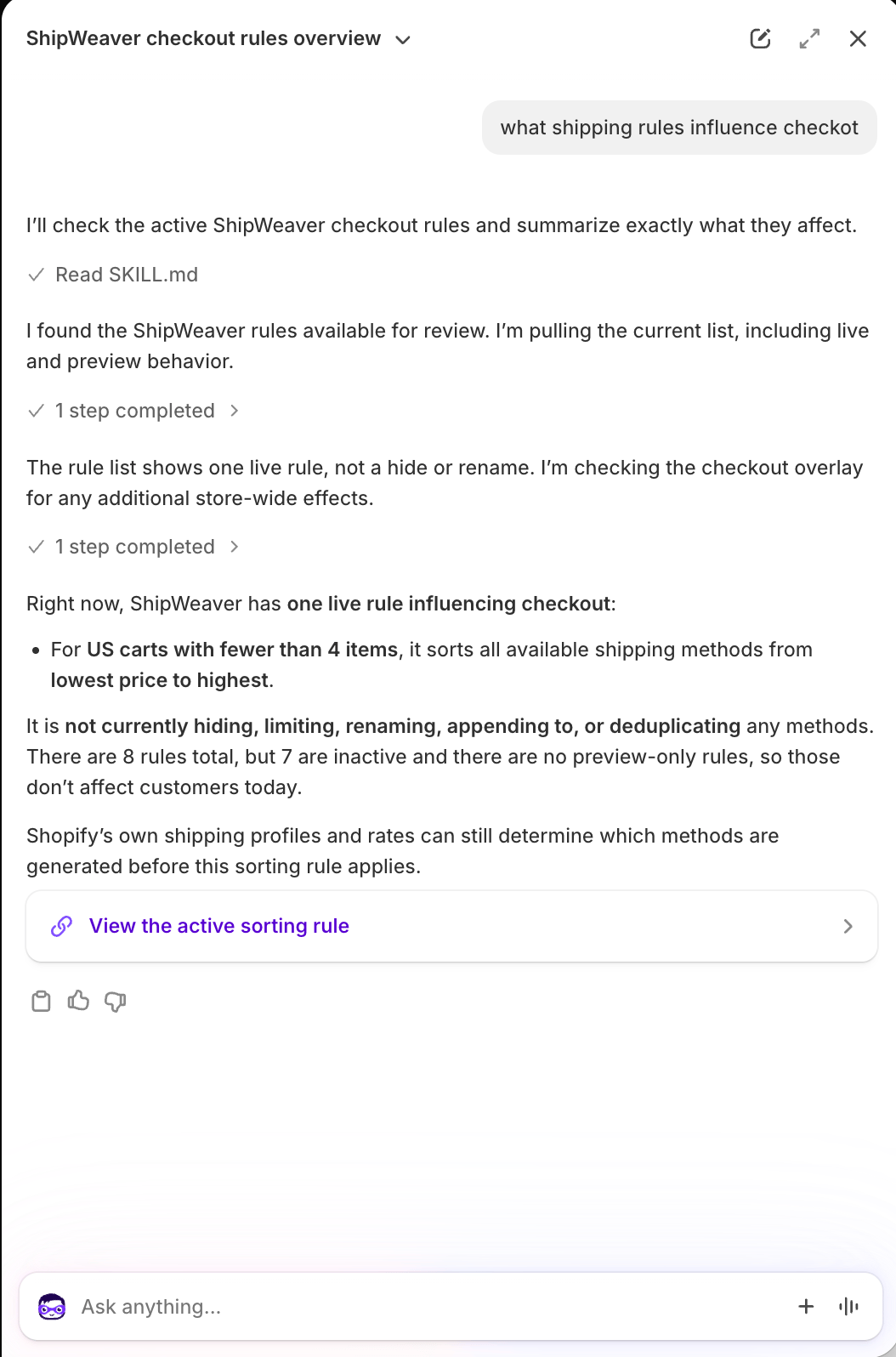
Sidekick describing a live ShipWeaver rule that sorts US carts with fewer than 4 items by price

A live sort rule can be as simple as: for US carts with fewer than 4 items, sort cheapest first.

How reordering works

Typical actions:
  • Pin to position - move a named method to first, last, or a fixed slot
  • Sort by price - cheapest first or most expensive first
  • Sort by name - A-Z or Z-A
You can combine these with conditions.
Test reorder rules in Preview. On mobile, the first option is the one most customers pick.
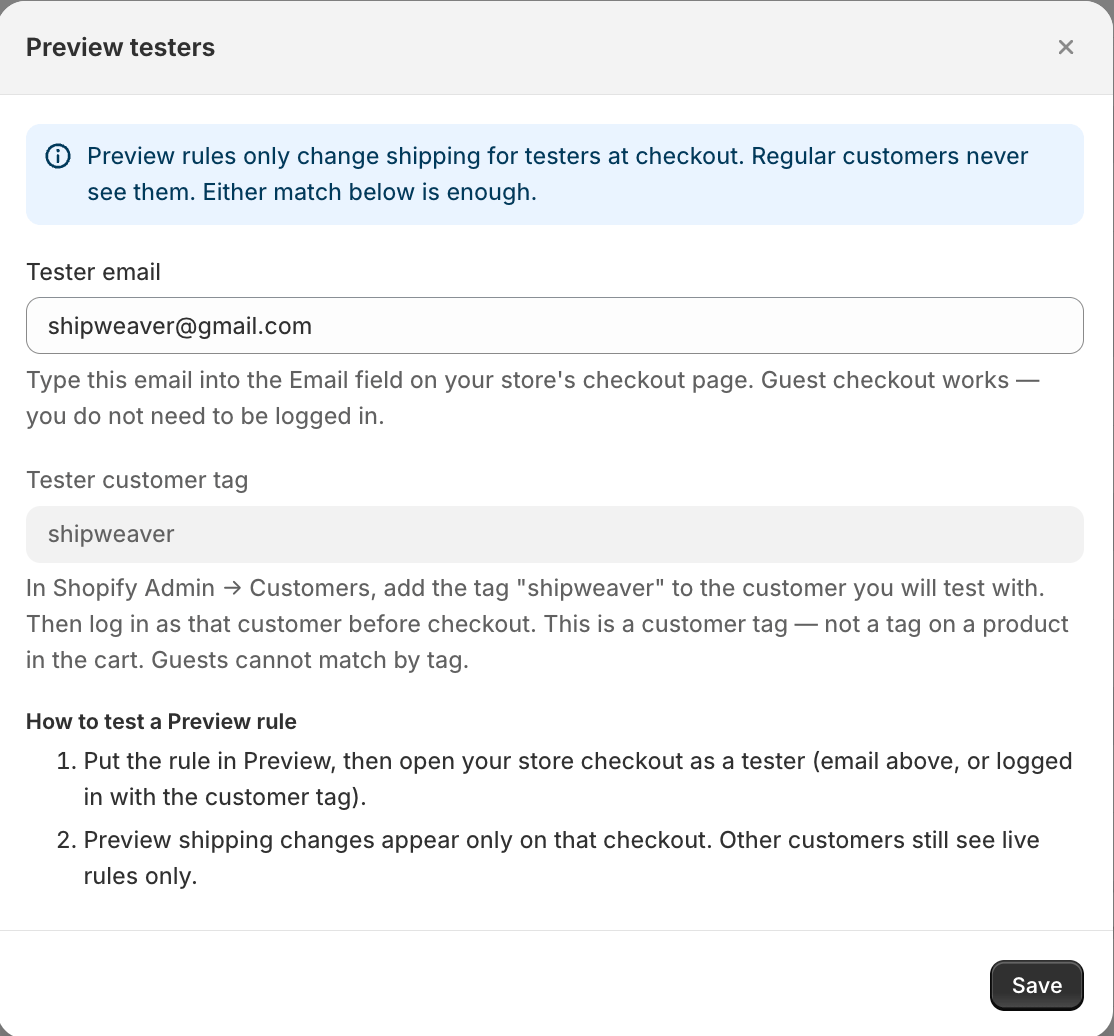
Preview testers settings for testing shipping method order

Preview the new order on your tester checkout before setting the rule to Live.

Examples

Always show Free Shipping first

Condition: Always Action: Pin method containing Free to position 1

Sort cheapest first

Condition: Always Action: Sort all methods by price, ascending

Show Express first over $150

Condition: Cart subtotal is at least $150 Action: Pin method containing Express to position 1

Local pickup first for nearby ZIPs

Condition: Shipping ZIP starts with 90210 Action: Pin method containing Local Pickup to position 1

Using ShipWeaver

ShipWeaver can pin methods, sort by price or name, and apply different orders by cart or location. Use Preview, then Live. See How to hide shipping methods and the FAQ.